 Tesla Overlay
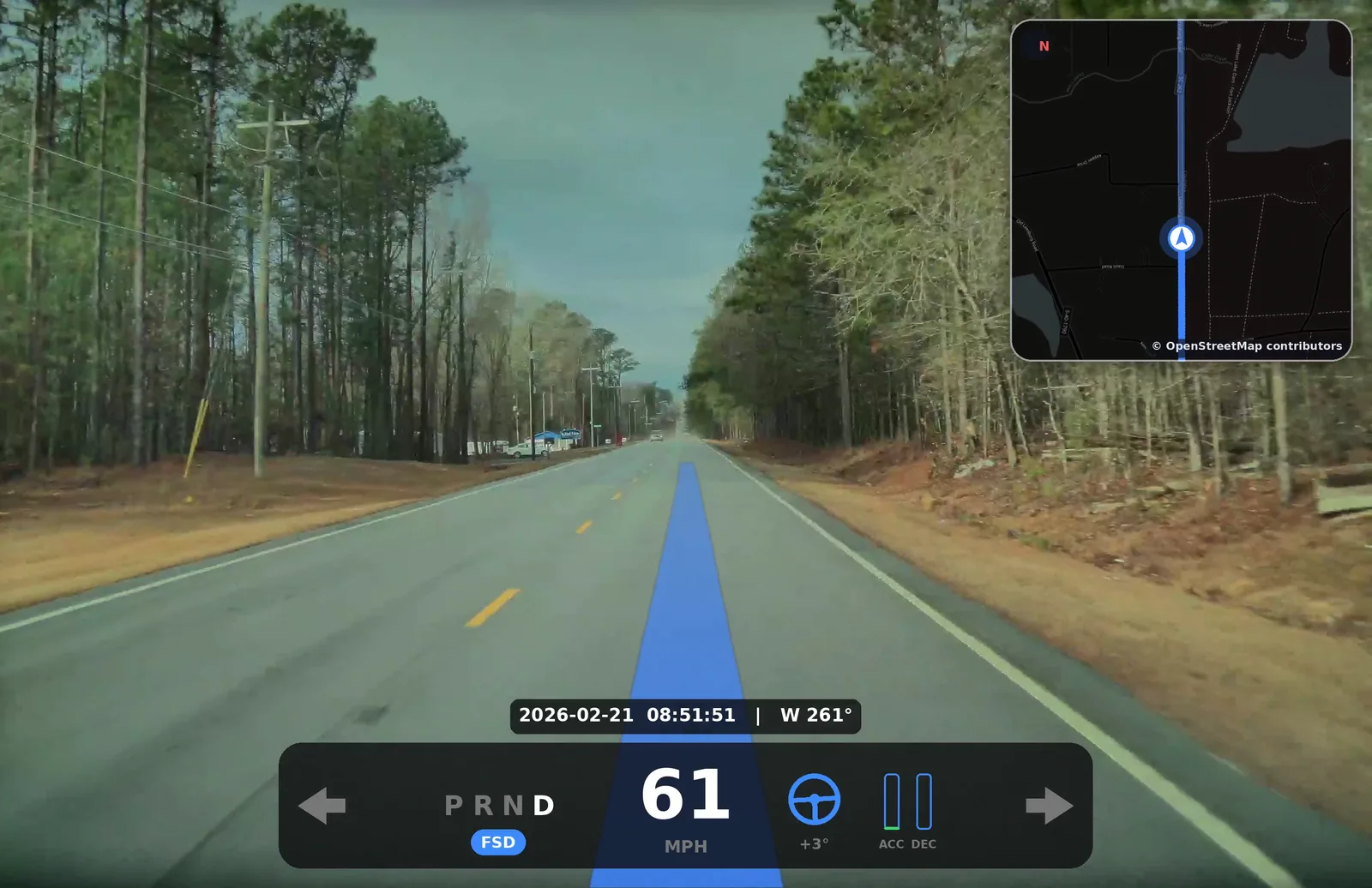
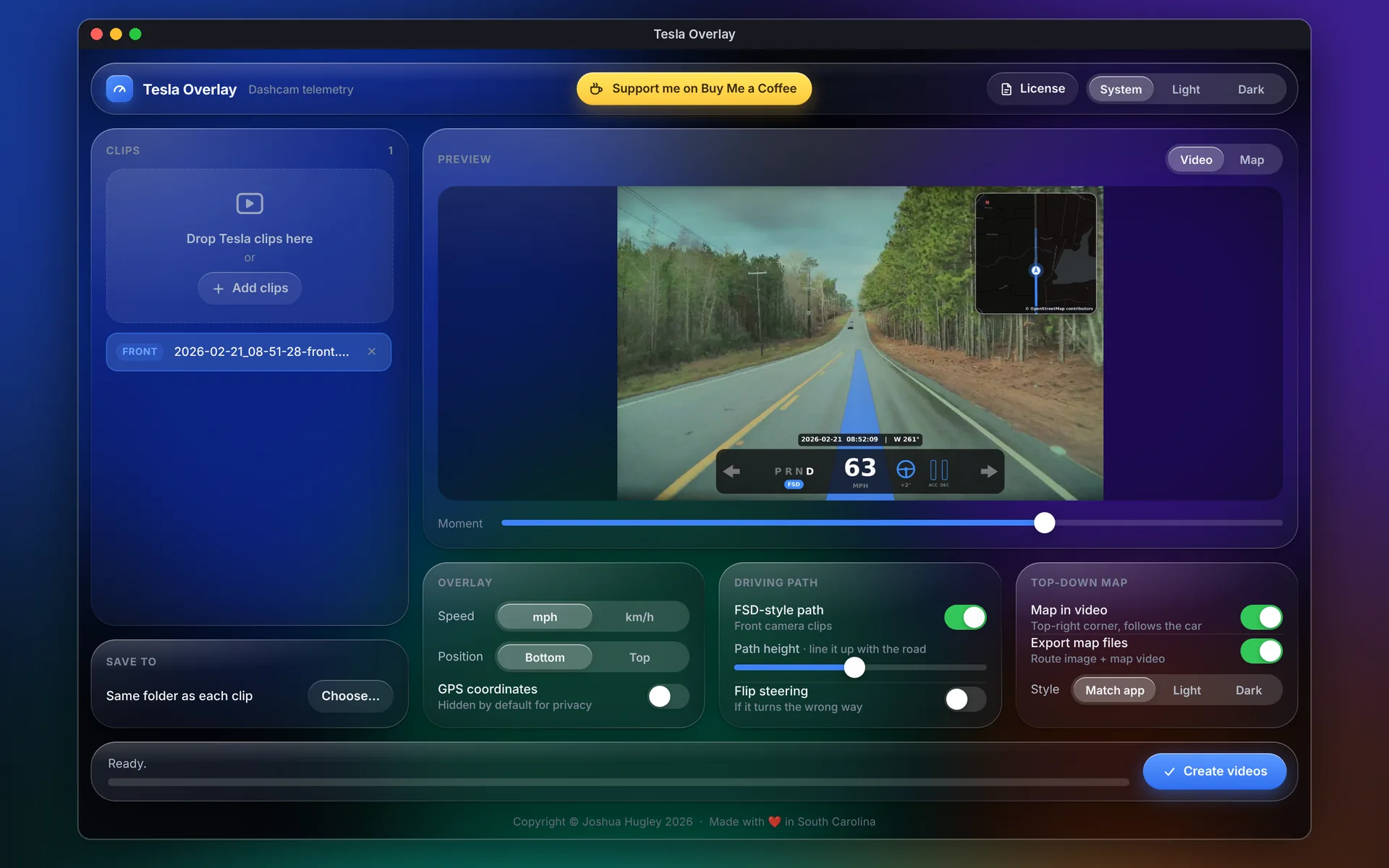
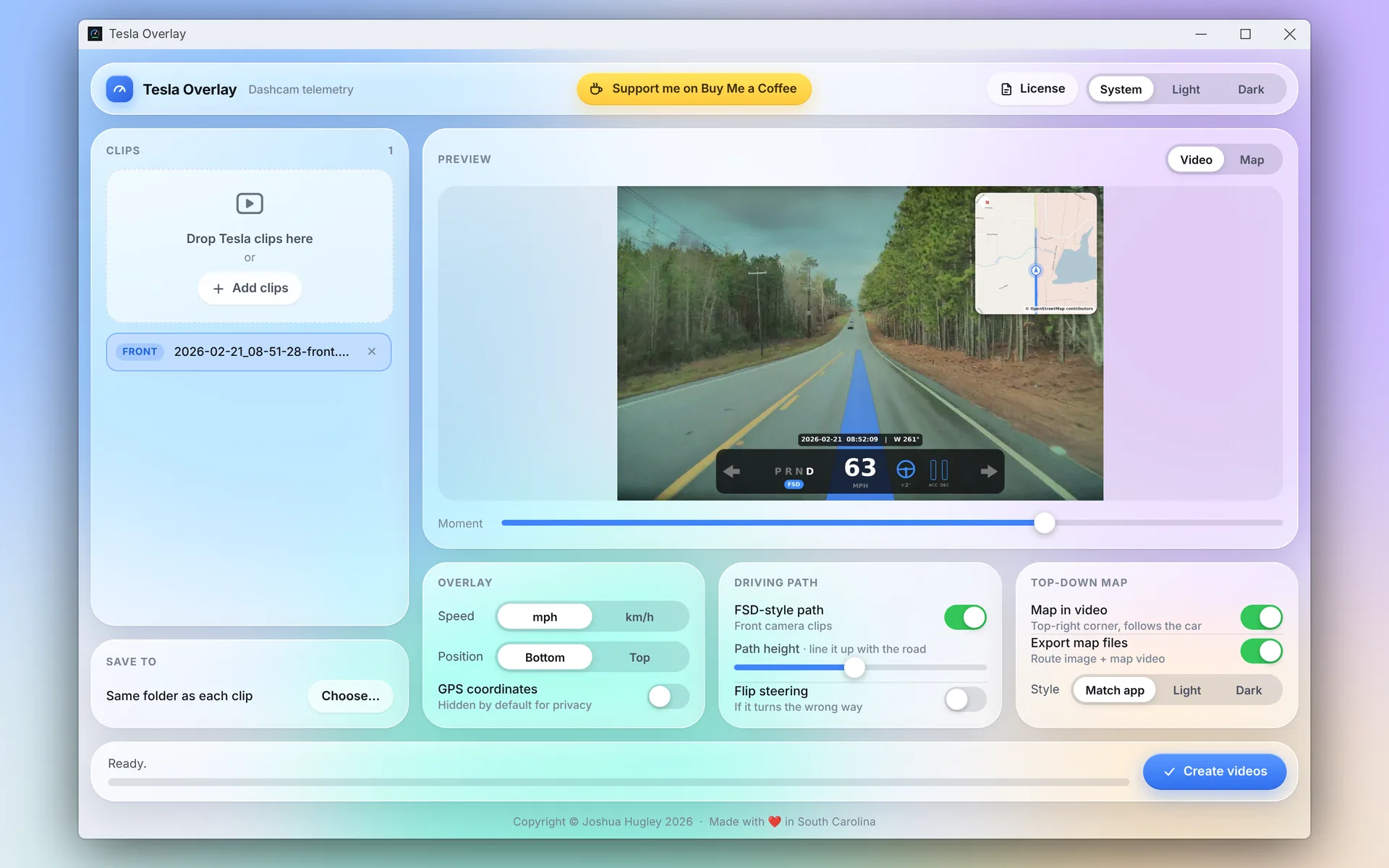
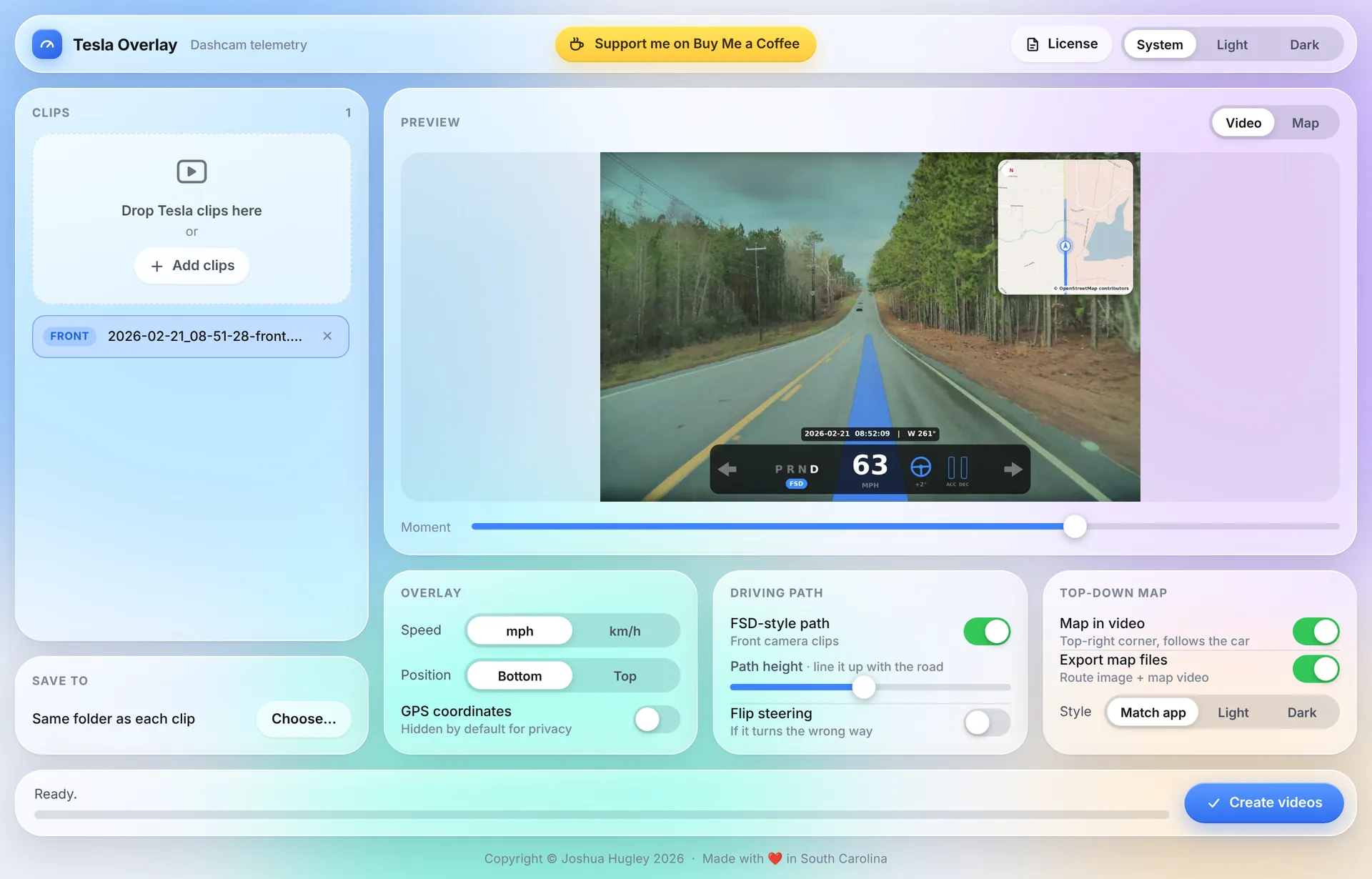
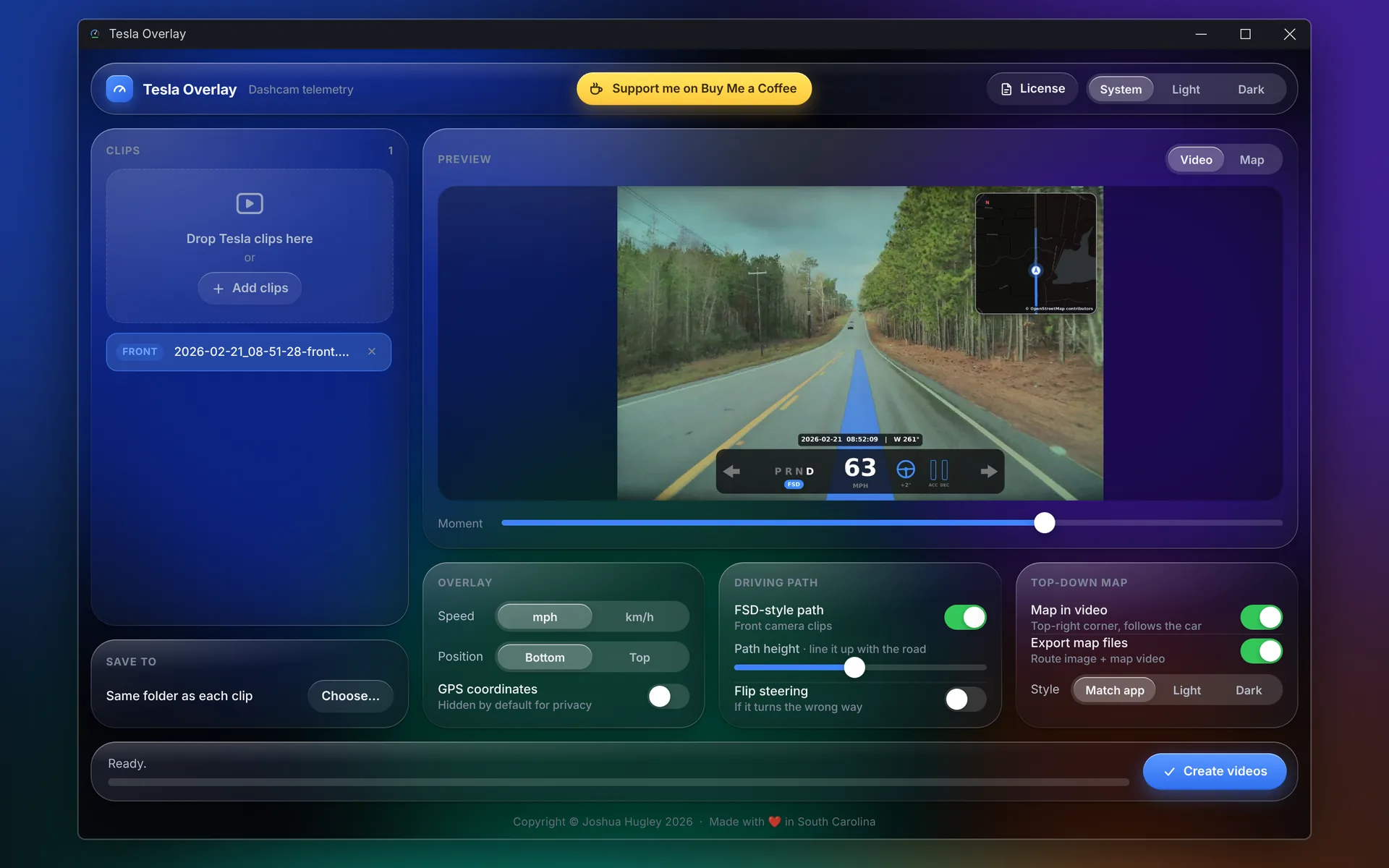
Your Tesla already records speed, steering, pedals, signals, and FSD state inside every dashcam clip. Tesla Overlay puts it on screen, with a blue FSD style driving path and a live map in the corner.
The data was there all along
Since firmware 2025.44.25, every Tesla dashcam clip quietly carries frame by frame telemetry. None of it shows when you play the clip back. Tesla Overlay renders a new copy of the video with it on screen, so a drive can be shared, reviewed, or documented exactly as the car recorded it.
Everything the car saw, on screen
An FSD style path on the road
A blue line on the road built from the car's recorded heading and speed shows where the car went over the next few seconds, in the style of Tesla's own FSD visualization.
It stays solid while driving, fades while slowing, and draws a stop line where the car came to rest.
A live map that turns with you
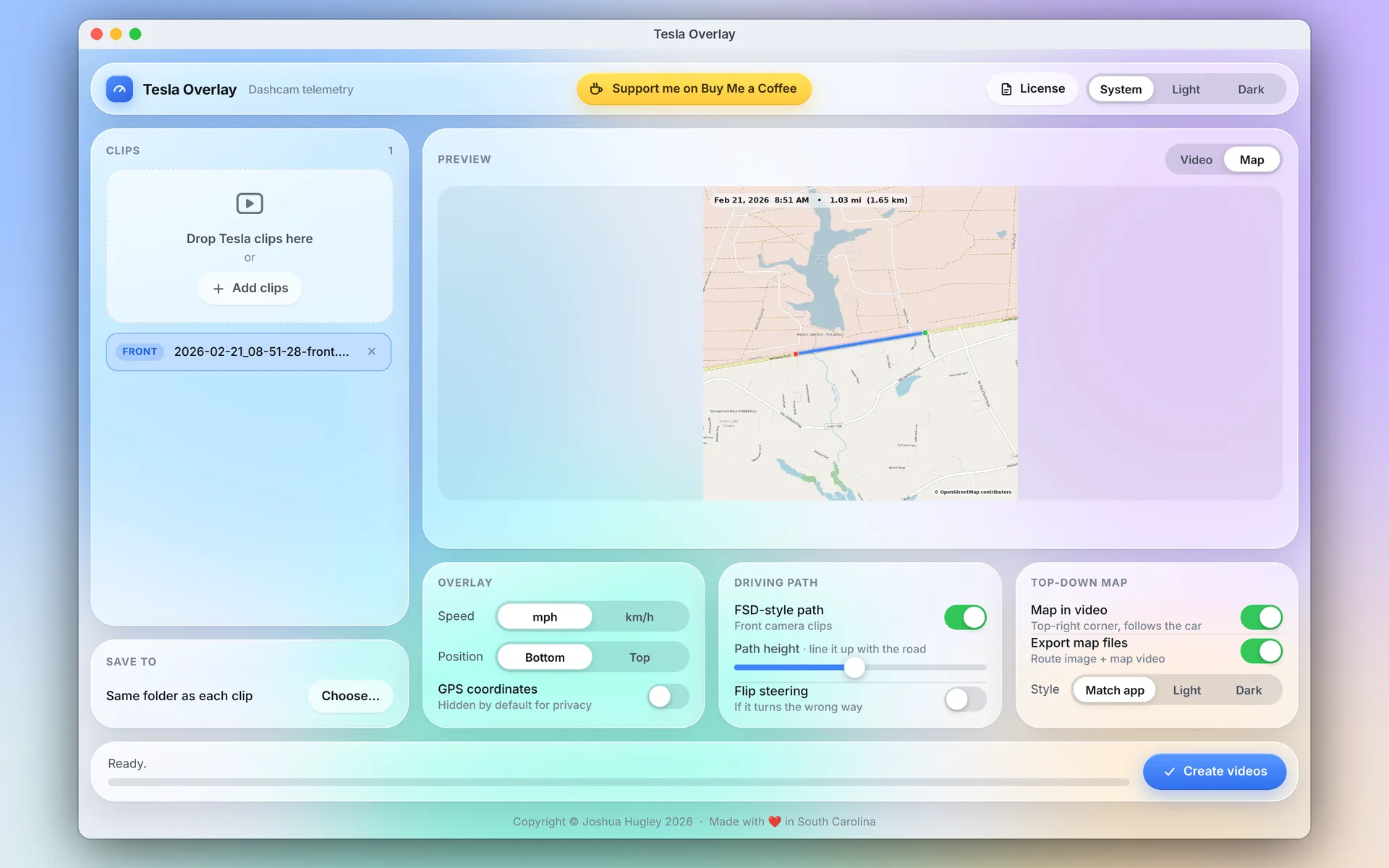
A heading up OpenStreetMap mini map sits in the corner, turns with the car, and traces the route you've driven in blue.
GPS coordinates are hidden from the overlay by default, so you can share a clip without sharing exactly where you were.
Route maps for the whole drive
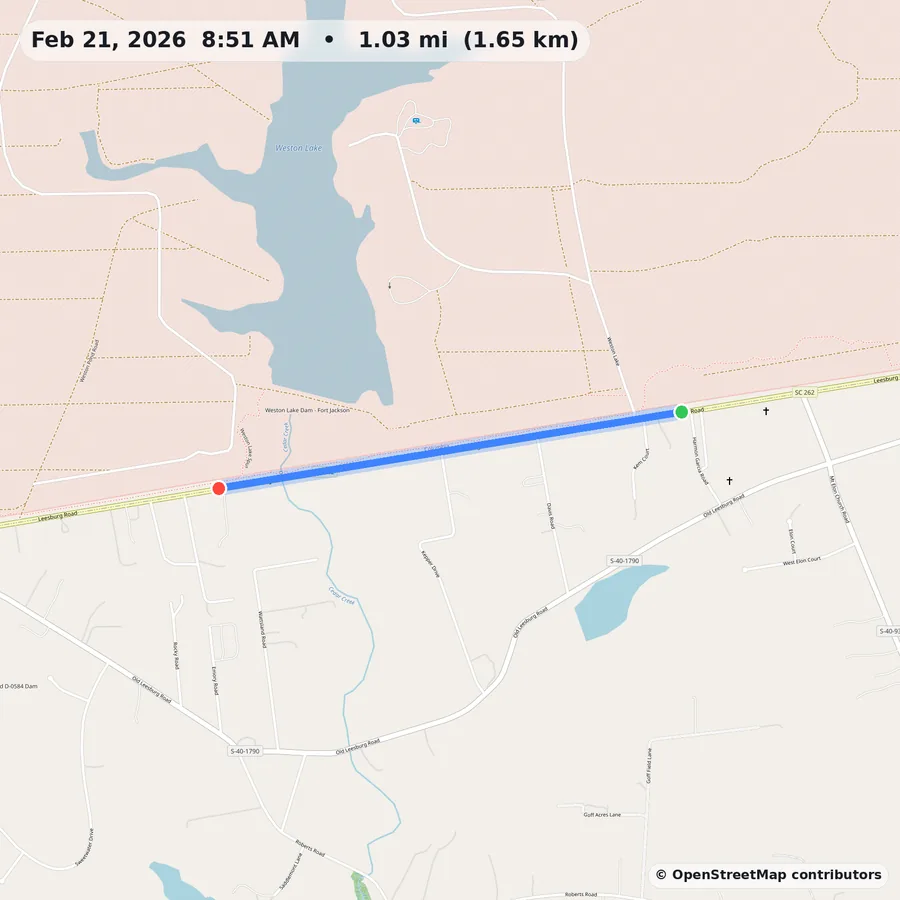
Export a map image of the entire drive with its distance, plus an animated map video the same length as the clip, ready to post beside your footage.
Speed panel
Speed in mph or km/h, gear, steering angle, flashing turn signals, an FSD, Autosteer, or TACC badge, date, time, and heading.
Pedal and FSD bars
The driver's accelerator and brake, switching to the car's own acceleration and slowing while FSD is in control.
Private by design
All processing happens on your computer. The only network use is map tiles, and only when a map feature is on.
Glass interface
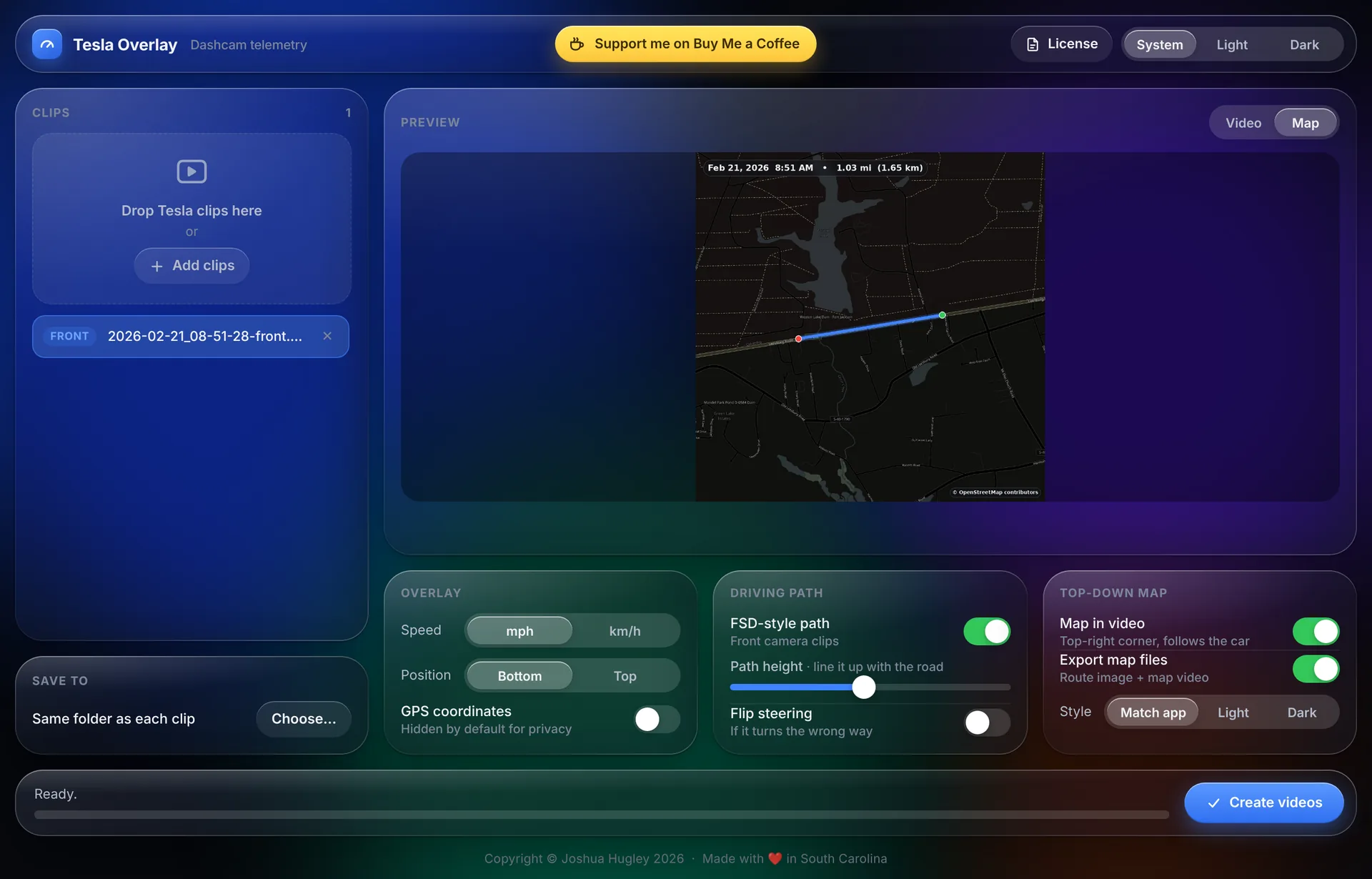
Light and dark themes, a live preview, batch processing of whole folders, and settings that are remembered.
On Windows and Mac
Tap any screenshot to see it full size.
Free. Version 1.0.1.
Download the latest release from GitHub. Tesla Overlay is free for personal and noncommercial use under the PolyForm Strict License 1.0.0.
- Tesla dashcam clips, Saved and Recent
- Firmware 2025.44.25 or later
- HW3 or newer
Press kit
Screenshots, videos, logos, and icons may be used in articles, reviews, videos, and social posts about Tesla Overlay. Please don't alter the logo or icon, or use them in a way that suggests endorsement.
Short description
Tesla Overlay is a free Windows and Mac app that reads the driving data Tesla records inside every dashcam clip and burns it into a new copy of the video: speed, gear, steering, turn signals, FSD state, a blue FSD-style driving path on the road, and a live map in the corner.
Fact sheet
- Developer
- Joshua Hugley
- Based in
- South Carolina, USA
- First release
- November 1, 2026
- Current version
- 1.0.1 (November 2, 2026)
- Platforms
- Windows 10 and 11; macOS 11 or newer
- Price
- Free
- License
- PolyForm Strict 1.0.0
- Press contact
- support@crescentorbitlabs.com
Full description
Since firmware 2025.44.25, every Tesla dashcam clip quietly carries frame-by-frame telemetry: speed, gear, steering wheel angle, accelerator and brake, turn signals, Autopilot state, GPS position and heading. None of it is visible when the clip is played back. Tesla Overlay reads that data and renders a new copy of the video with it on screen, so a drive can be shared, reviewed or documented exactly as the car recorded it. Each video gets a speed panel with gear, steering angle, turn signals and an FSD, Autosteer or TACC badge. Two bars show the driver's pedals, and while FSD is driving they switch to show the car's own acceleration and slowing. A blue path painted on the road shows where the car went over the next few seconds, in the style of Tesla's own FSD visualization, and a heading-up mini map turns with the car in the corner. Tesla Overlay can also export a route map image and an animated map video of the whole drive. Everything is processed on the user's own computer. Nothing is uploaded, and the only network use is downloading OpenStreetMap tiles when a map feature is turned on. Tesla Overlay is free for personal use and is developed independently by Joshua Hugley in South Carolina.
Tesla Overlay is an independent project and is not affiliated with, endorsed by, or sponsored by Tesla, Inc. "Tesla" is a trademark of Tesla, Inc. Map data © OpenStreetMap contributors. Copyright Joshua Hugley 2026. Made with ❤️ in South Carolina.